UI Components
Visual reference for godocs interface elements.
Document Card
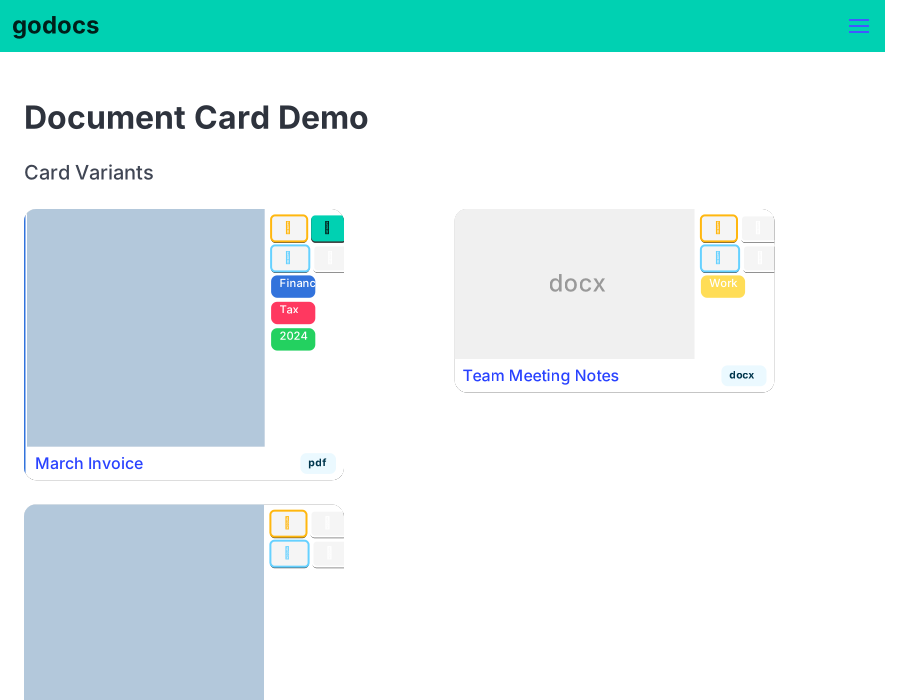
The document card is the primary way documents are displayed in grid views. It shows a thumbnail or placeholder, action buttons (edit, select toggle, bulk edit), tags, filename, and document type.
Card Variants
Annotated Breakdown
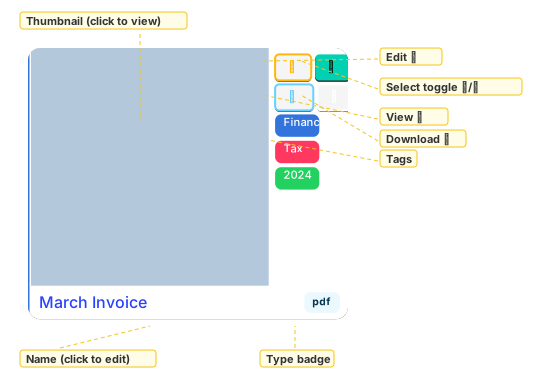
Card Structure
- Thumbnail (75% width) — clickable image or type placeholder linking to document view
- Sidebar (25% width) — two button rows plus coloured tag chips (truncated to 7 characters)
- Button row 1 — Edit (✎) and Select toggle (☐/☑)
- Button row 2 — Bulk Edit (⚙)
- Bottom row — filename (ellipsis overflow) and uppercase type badge
Variants
- With thumbnail + multiple tags + selected (blue left border)
- Placeholder (no thumbnail) + single tag + unselected
- With thumbnail + no tags + unselected